This will take advantage of higher resolution monitors so you have more working room on the desktop.
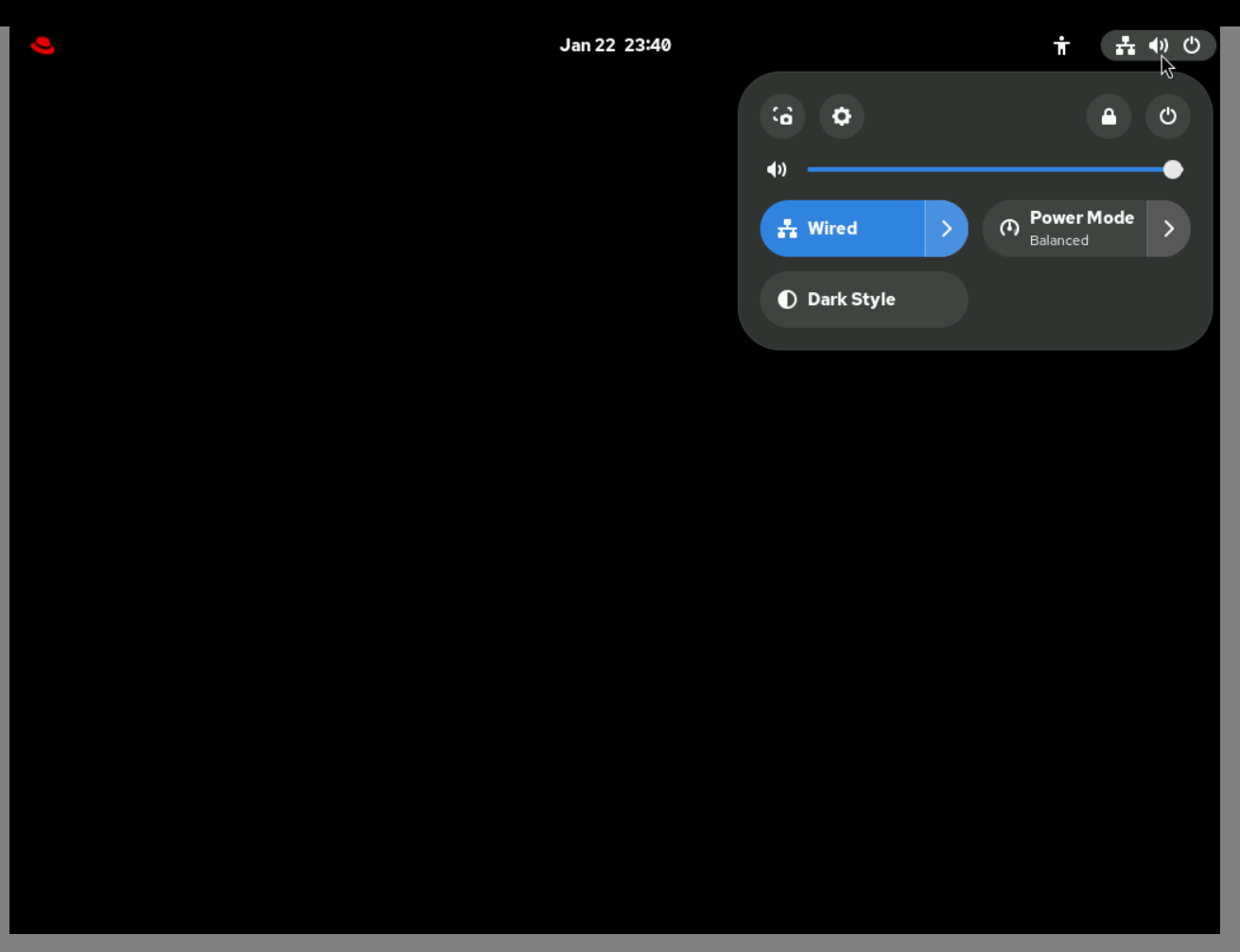
Open the system tray on the right side of the top panel on the GNOME desktop and click on the gear icon to bring up system settings.
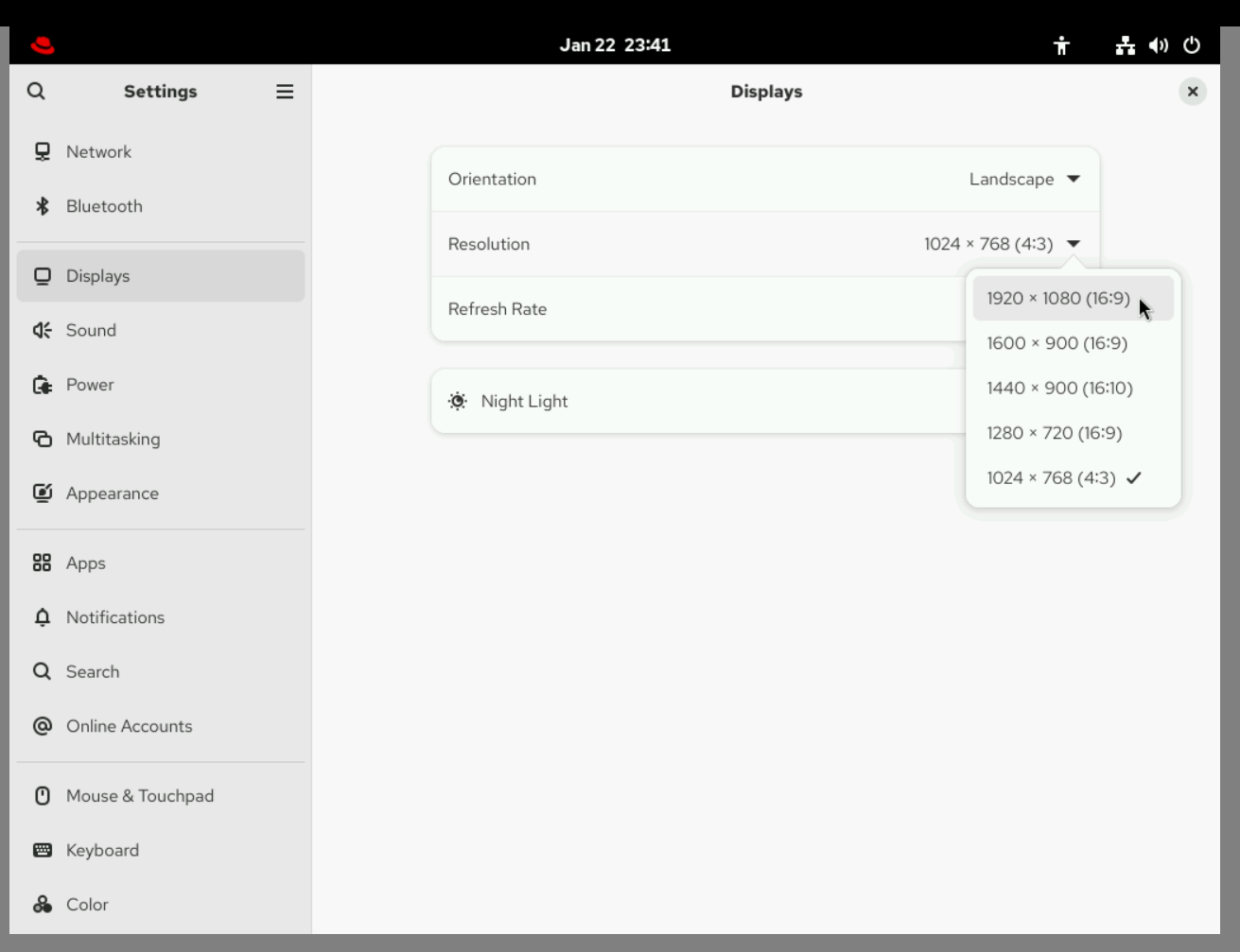
Select the displays settings and set the desired resolution.
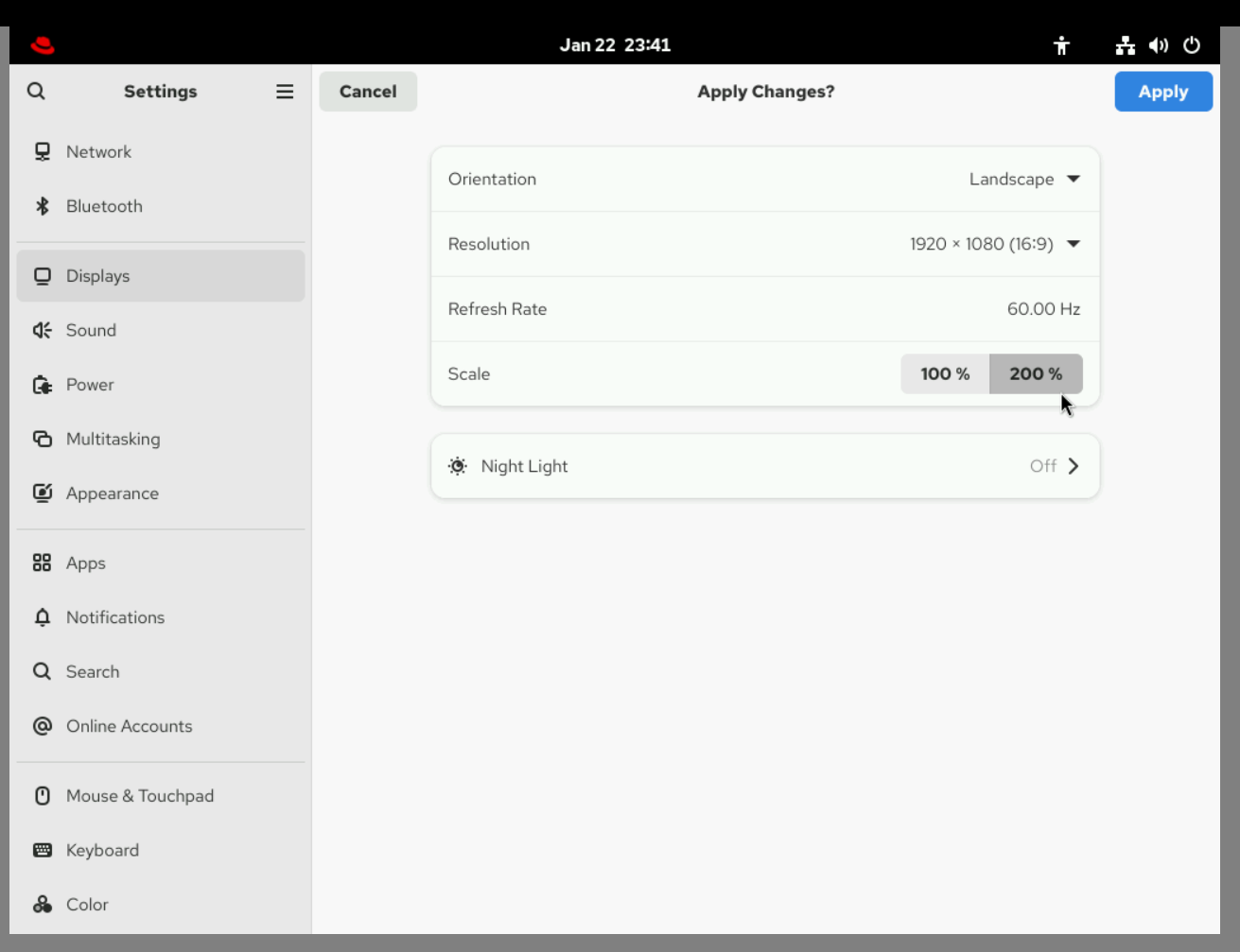
You can also set the scale to 200% for larger text.